Welwetcom Capabilities — Tools for Reviewing and Classifying Information
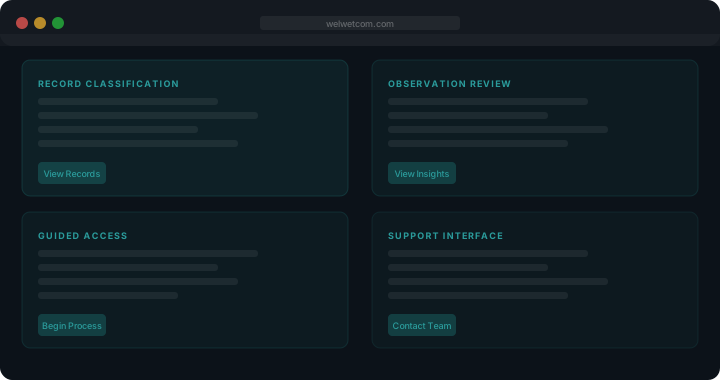
Four areas of capability within the Welwetcom system
These functions represent the core of what the platform is designed to do. They work together to provide a complete information-review environment.
-
Record Classification
Incoming information is assigned to categories based on consistent classification criteria. Each record is examined at input and placed within the appropriate part of the system's structure. This means that when a user searches for information about a particular subject, the system can retrieve records from the correct location rather than scanning an unorganised pool. Classification is applied uniformly so that the same type of information always appears in the same place, making the system predictable and navigable.
How classification fits the wider system -
Observation Review
Once records are classified, users can review the structured observations the system produces from the organised data. These observations are formatted consistently so that related entries can be compared directly. The review function is not an interpretation layer; it surfaces what the structured data shows without adding conclusions the data itself does not support. Users are responsible for drawing their own understanding from what is presented.
Request access to the review environment -
Guided Access Workflow
Access to the Welwetcom system follows a defined process. The guided access function walks users through each stage of that process: reading the platform information, submitting a request, receiving acknowledgement, and obtaining access. This workflow is designed to ensure that requests are complete and that users understand what they are accessing before they begin. No stage is skipped automatically, and the support team is available to assist at any point.
Begin the guided process -
Support Interface
The support interface provides a direct communication channel between users and the Welwetcom team. Whether a user has a question about a specific record, requires clarification about how the system is structured, or needs to escalate a concern, the support interface is the appropriate route. Messages are directed to team members who are familiar with the system's organisation and able to provide accurate, considered responses.
Reach the support team
How the access request process unfolds
Understanding the process before you begin will help you prepare a complete and clear request.
-
Read the platform pages
Before submitting a request, read the System Overview and this Functions page in full. These pages describe what Welwetcom does and what kind of information users encounter within the system.
-
Complete the enquiry form
Use the form on the Enquire page to submit your request. Include a clear description of what you are looking to review and why you believe the system is relevant. All fields on the form are required.
-
Receive an acknowledgement
Once your enquiry is received, the support team will acknowledge it. If additional information is needed, a follow-up message will be sent. The team will not proceed without sufficient context to review your request accurately.
-
Receive access instructions
If the review of your request is complete and access is appropriate, the support team will provide the relevant instructions. These instructions will explain how to navigate the system and what to expect within your access level.
What these capabilities do not include
The functions described on this page represent what Welwetcom is designed to do. They do not represent every possible use a user might wish to make of an information-organisation system. Welwetcom is not a real-time data feed, a document editing environment, or a collaborative workspace. It does not offer predictive outputs, automated recommendations, or decision-making assistance beyond the structure of the organised information itself.